 FONTREADY / CASE STUDY
From font file to Elementor, without the detour.
A web font converter and WordPress plugin that bring font preparation and Elementor Pro publishing into one connected workflow.
Why I built it
I built FontReady around a practical question: once someone has converted a font, how easily can they actually use it on their website?
As a WordPress developer, I wanted to connect those two parts of the work. Preparing the files is useful. Getting them into Elementor Pro, organised and ready to select, is where the task becomes complete.
That became the direction for FontReady: a web font converter with a companion WordPress plugin, built around the journey from upload to use. No FontReady account required, and no connection key for the user to copy between platforms.
A useful converter, with a clear next step
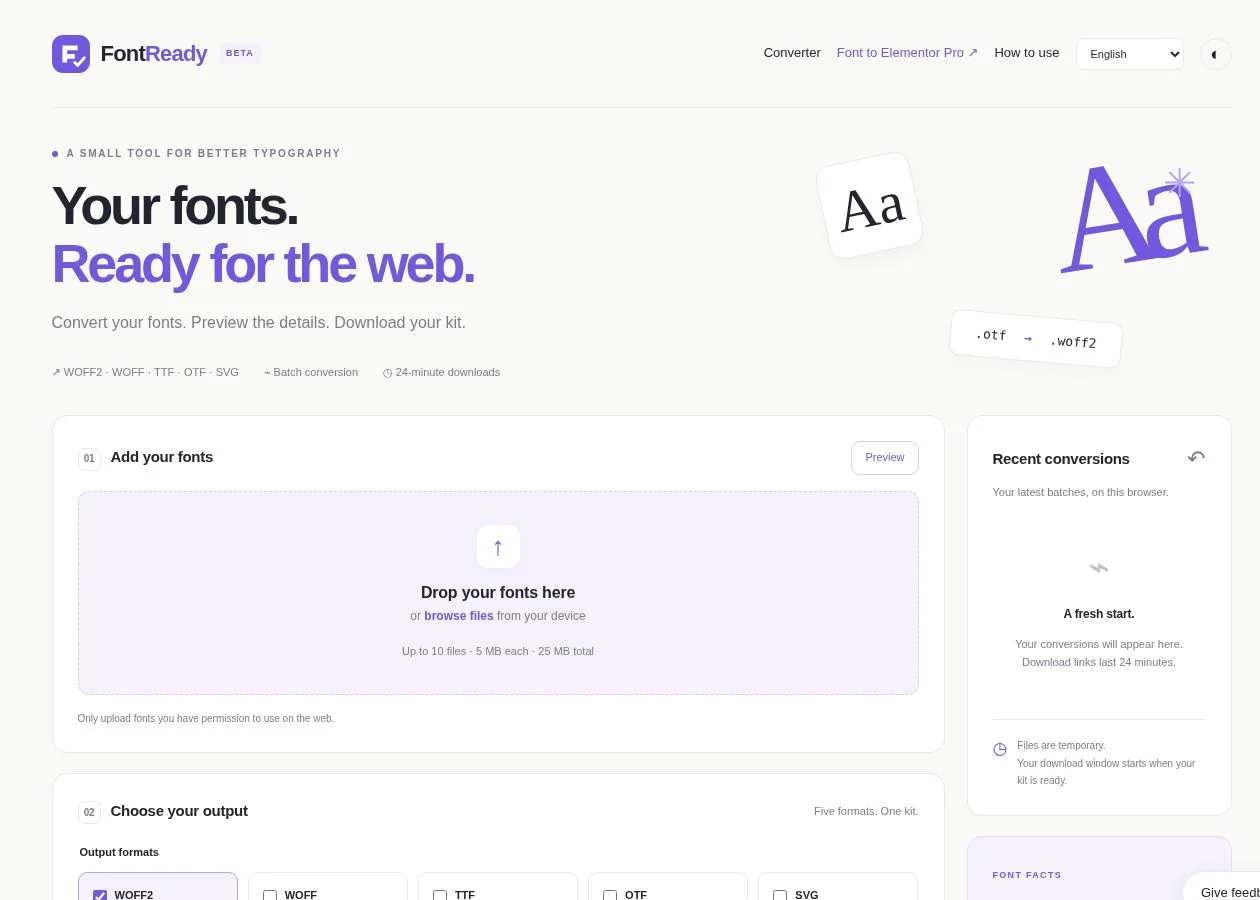
I built the conversion application with Python, Django and fontTools. It accepts TTF, OTF, WOFF and WOFF2 uploads, prepares supported web formats and packages the results with CSS, a preview page and installation guidance.
The general converter gives developers control over output formats, character subsetting and font-loading behaviour. Individual downloads sit alongside a complete kit, with a 24-minute download window and recent conversions available in the browser.
I kept the Elementor journey more focused. Upload one font and conversion starts automatically. The application prepares WOFF2, WOFF, TTF, SVG and EOT for the integration, rather than asking the user to work out which files Elementor expects.
Compatibility still matters. Unsupported conversions produce an explanation, and the Elementor flow checks for the complete required set. A conversion also does not change the font’s licence; people still need permission to use it on their website.
The Elementor integration is the heart of it
The experience connects three steps: upload a font, confirm the website and approve publishing through WordPress.
The user confirms that Elementor Pro and the FontReady plugin are active on their HTTPS website. An administrator approves the connection in WordPress, and the selected kit returns to the publishing flow. Subsequent uploads can publish to that connected website within the same browser tab.
I built the plugin to register the result in Elementor Pro’s native Custom Fonts manager. The fonts are stored on the user’s WordPress site, with media attachments and the metadata Elementor uses for its font controls. After refreshing the editor, the user can select the family through Elementor’s own typography settings.
That detail matters to me. The integration should fit the way people already build with Elementor. They should be able to manage their fonts in the place they expect to find them.

Getting families, weights and styles right
A font family is more than one file. Regular, bold and italic need to belong together, while each variant keeps its own identity.
I worked on reading family names, weights and styles from the font metadata, then mapping them into Elementor’s family and variant structure. The five output formats belong to the matching weight and style row. Adding another weight updates the FontReady-managed family rather than creating an unrelated font entry.
The plugin also distinguishes records it owns from fonts someone has already created manually. A naming conflict is surfaced for the user to resolve. Its dashboard shows installed family names, variants and available formats, with a direct route back to Elementor’s font manager.
These are small interface details backed by an understanding of how WordPress and Elementor organise the work.
Engineering the connection behind the button
The simple publishing button has a web application, a WordPress REST integration and a file-transfer process behind it.
Conversion runs in a separate worker process. The application tracks jobs and expiry, while private storage holds temporary downloads. I prepared the deployment around Render, PostgreSQL and private object storage, alongside the application’s local development setup.
On the WordPress side, I added administrator approval, permission checks, expiring and revocable connection access, and validation of the incoming font files. WordPress passwords do not enter the FontReady application server. The browser carries the authorised connection to the user’s website.
I also built a chunked transfer path with private staging and checksum verification before import. This lets the integration work with smaller requests instead of relying on one large upload. The plugin checks the files before registering the font set with Elementor.
This project brings together application development and my WordPress experience: background work, storage, authentication, file validation, native plugin integration and a user journey that connects them.
Useful information, without confusing it with certainty
FontReady reads technical details from the uploaded font. It also supports Gemini-generated font insights, which are labelled as unverified and cached for reuse. Those requests use selected metadata rather than the uploaded font binary.
I kept that distinction visible. The conversion and publishing workflow should stand on its own, while extra information helps people understand what they are working with.
Early days, with a practical outcome
FontReady is a young product. The meaningful outcome at this stage is the workflow itself: prepare a font, approve the website connection and publish it into Elementor Pro’s native Custom Fonts manager.
I built an owner dashboard for conversion totals, font-family trends, connected websites and reported installations. That gives me a way to follow usage as the product develops. I am not presenting adoption or time-saving figures here before there is a measured basis for them.
My aim is to make a familiar piece of website work easier for other designers and developers, and to contribute a useful tool to the WordPress ecosystem. FontReady is also a clear expression of how I like to build: understand the whole task, connect the systems and keep the experience straightforward.
WordPress.org listing pending approval. The official plugin link will be added here when it becomes available.
FontReady is independent of Elementor.